MISSIONS MAP EXPLORER GUIDE
Set up the screensaver
Share missionary updates and missions information while the display is idle.
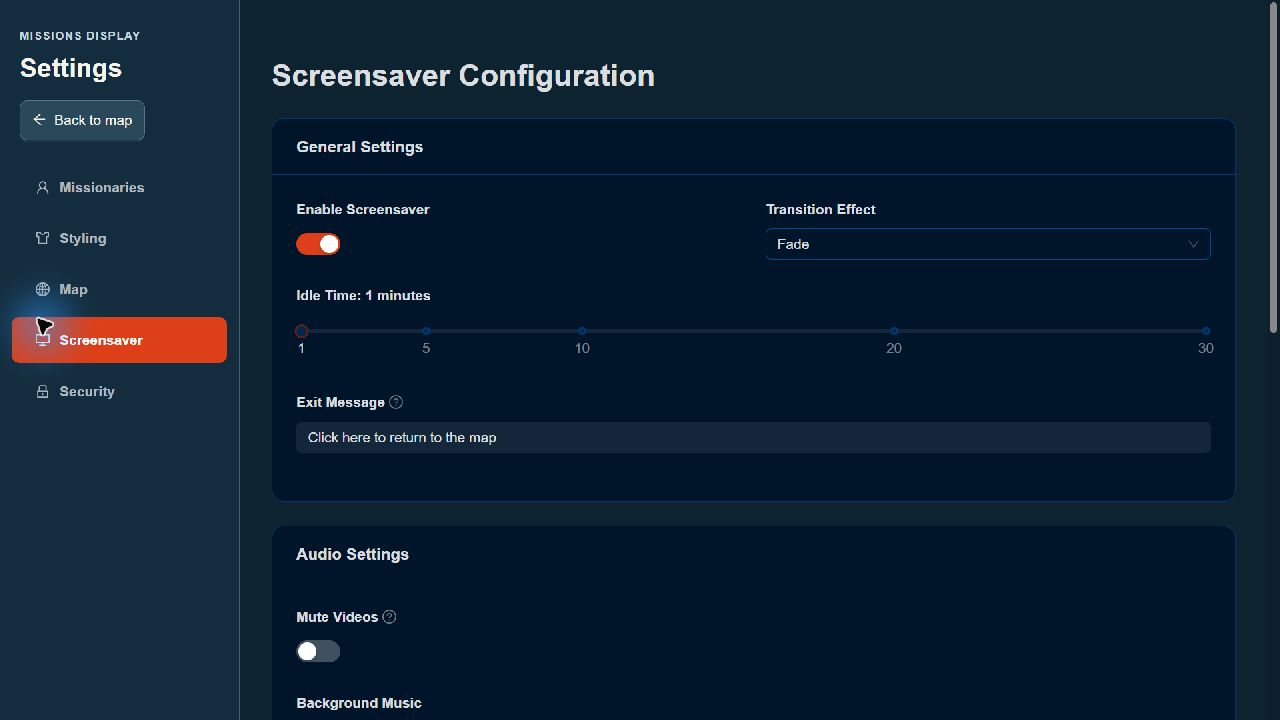
Turn it on
- Open the gear on the map and select Screensaver.
- Enable the screensaver and choose the idle time and transition effect.
- Select at least one content type and configure it below. Save your settings.
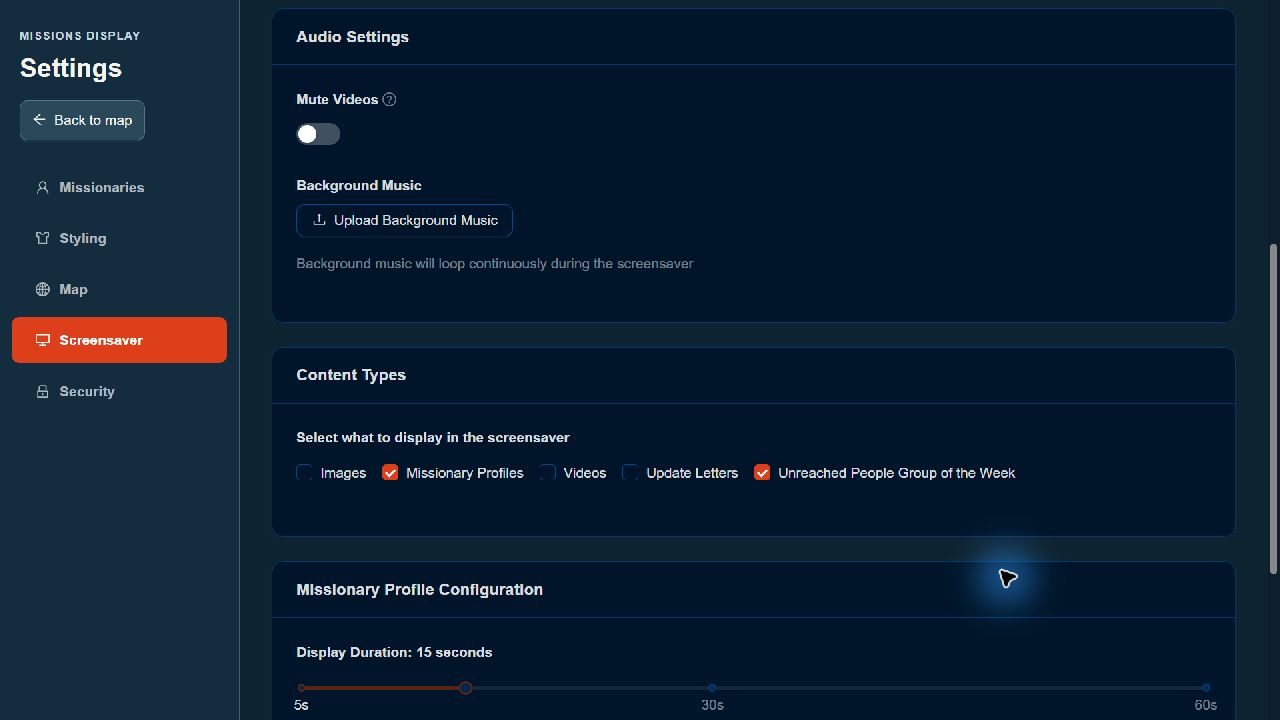
Choose what to show
Images: select Images, upload the files in Uploaded Images, and set the image display duration. The sequence needs at least one image to show an image slide.
Missionary Profiles: select the type and set its display duration. Turn on Show prayer requests and praises if you want those updates on the slides. Each missionary also has a Show in Screensaver switch in the General tab.
Videos: add local video files or YouTube URLs under Video Configuration. Mute Videos controls video sound; background music is configured separately. YouTube playback needs internet access.
Update Letters: select this type, choose how many days back to look, and set the duration. Letters come from missionary PDF attachments. The missionary profile switch does not exclude a letter slide; check letters separately.
Unreached People Group of the Week uses available people-group data. Its selection depends on eligible missionary locations and nearby data. Audio Settings also lets you select background music. Save the page after making changes.